



İnşaat Finans
Know what each project owes you — and what you need to pay.
İnşaat Finans brings contracts, collections, expenses and account records into one workspace. Built for contractors and small construction businesses, on your own Mac.
THE ACTUAL APPLICATION
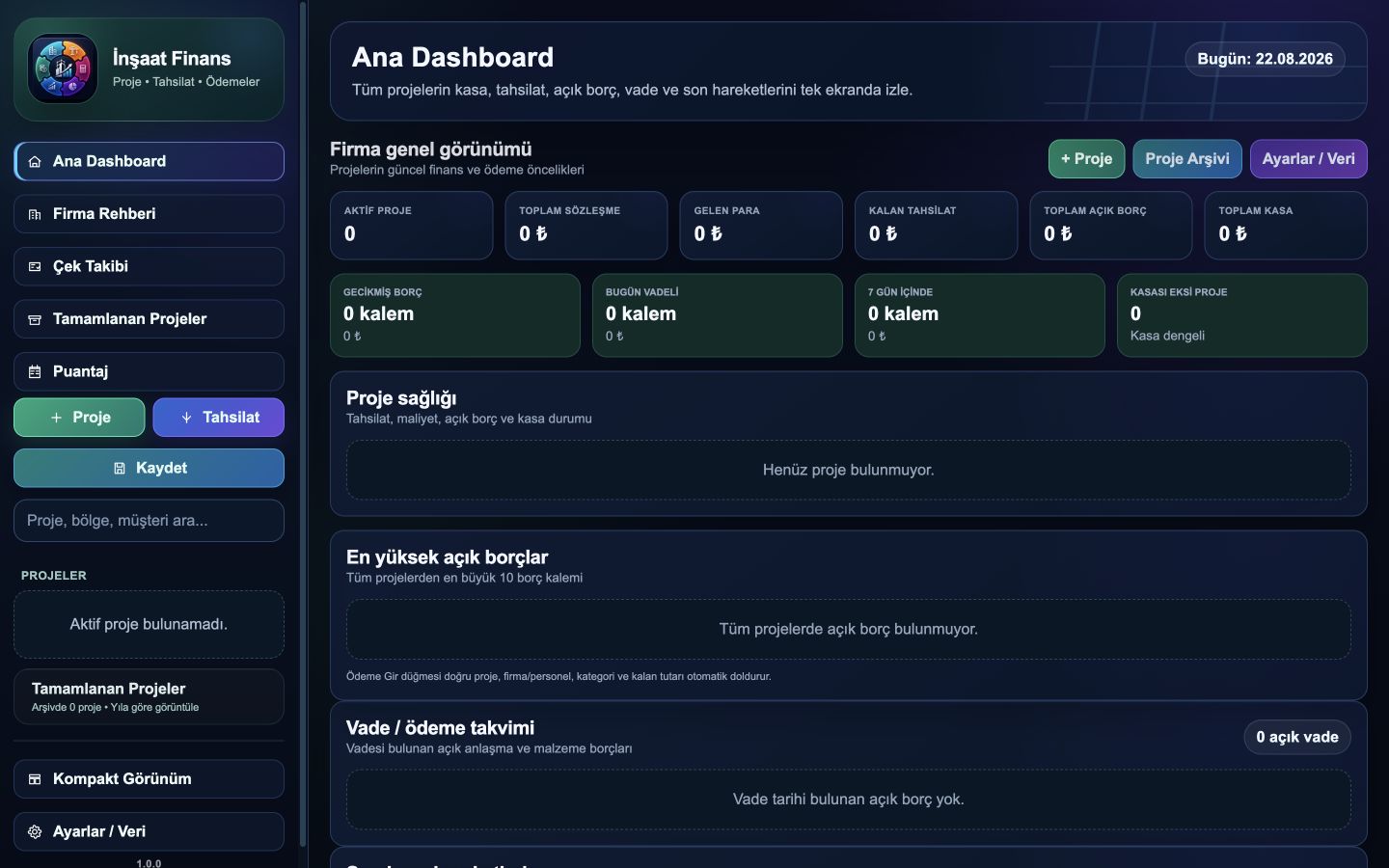
Keep project records together and easier to follow.
Create a project and keep its contract, transactions and site records in the right place. Prepare quotes and export reports when you need them.
Projects and contracts
Organize the contract and work items under the project they belong to.
Collections and expenses
Record incoming payments, materials and subcontractor expenses by project.
Accounts and due dates
Follow supplier and customer records, payments and outstanding balances.
Prepare quotes
Create and save lump-sum or unit-price quotes and export them as PDF.
Teams and schedules
Keep timesheets, daily wages and work progress records in the same application.
Reports and backups
Export PDF / CSV reports and keep local JSON backups under your control.
Define the project. Record activity. Review the situation.
Create a project
Define the project, contract and relevant people or companies.
Record activity
Add collections, expenses and site records as they occur.
Review and export
Review your project records and share the quotes and reports you need.
Usage and licensing.
Which computers are supported?
İnşaat Finans is being developed for macOS, currently targeting Apple Silicon Macs. Send us your Mac model and macOS version so we can check suitability.
Where are my records stored?
Project and financial records are stored locally on your own Mac. You control backups and restores.
Do I need an internet connection?
You work with local records. Initial activation and periodic license verification require internet. Offline use is planned for up to 30 days after the last verification, without extending the license expiry date.
What is the subscription model?
An annual subscription is planned. Final pricing and delivery terms, device limits, renewal and cancellation details will be published before sales open.
What happens when the license expires?
You can still view, search and export existing records. Creating and editing records requires license renewal.
Does İnşaat Finans fit your business?
Tell us how many projects you manage, how you keep records today and which Mac you use. Let’s start with what your business needs.